


Speak and Translate Languages
4.710.59K Reviews
App Specs
- Version
- 8.1.7
- Updated On
- License
- Free
- Downloads
- 10,000,000+
- Developer
- Battery Stats Saver
- Categories
- Communication
- Platform
- Android, iOS
Screenshots
 Analysis by AppCompare
I find translation apps most useful when a conversation is happening now, not when I have time to study a phrasebook. That’s the kind of moment Speak and Translate Languages is meant to help with: speaking or typing a thought, then using the translation to keep an exchange moving. Its usefulness depends on more than language coverage, though. A phone needs to be ready, the room needs to be quiet enough for speech recognition, and a connection may matter to the translation process. I’d treat it as a practical aid, not a substitute for listening carefully or checking important details.
When a conversation depends on a connection
With a translation app, a delay can change the feel of a conversation. If I’m asking a quick question, even a short pause while the app processes speech can make the exchange less natural. I’d keep my first sentence simple, wait for the translated result, and then let the other person respond before adding more. That gives both people a chance to catch a mistranslation before it turns into a longer misunderstanding.
I would also plan around connectivity rather than assume every translation will be available in every setting. Before leaving home, I’d open the app and check that it is ready for the kind of translation I expect to use. At a station, in a large building, or while moving between networks, I’d avoid waiting until the most time-sensitive moment to discover that the app is slow to respond. For an urgent exchange, a short typed phrase can be easier to manage than speaking a long explanation into a phone.
Small-screen habits that make it easier to use
On a phone, the app is most helpful when I can give it my attention for a few seconds. I’d hold the device where both people can see the translated text, speak in short turns, and avoid talking over the other person. That simple rhythm is more reliable than trying to conduct a whole conversation in one long voice input. It also makes it easier to correct a name, number, or key word before moving on.
There are situations where the phone itself becomes a hurdle. At a busy counter, holding a device, watching the screen, and paying attention to a person can feel awkward. For a quick order, I’d prepare a short typed phrase before reaching the front of the line; for a more involved question, I’d step somewhere quieter if possible. If the exchange involves directions, I’d confirm the destination in writing or point to it on a map rather than relying on a spoken translation alone.
How I’d handle a missed or unclear translation
Speech recognition can mishear a word, especially when there is background noise, an unfamiliar name, or several people talking. If the translated sentence looks odd, I wouldn’t repeat the same long sentence louder and hope for the best. I’d shorten it, try a different wording, or type the important part. Then I’d ask the other person to confirm the essential detail, such as a time, place, or item, before acting on it.
This is particularly important for anything consequential. I would not rely on an automatic translation alone for medical instructions, legal discussions, financial decisions, or a safety-critical direction. The app can help establish what the conversation is about, but when a mistake could have serious consequences, a qualified human interpreter or another trusted way to verify the meaning is the better choice. For ordinary travel questions and everyday exchanges, the same cautious habit is still useful: keep the message short and check that the response makes sense.
Worth Reading Before You Choose

Flipboard Shows What News Apps Must Do Beyond the Feed

Switching to Android Auto Means Rethinking Your Driving Routine

Google Calendar Makes a Crowded Week Easier to Manage

Ludo King Makes the Most of the Minutes Between Plans

Baby Panda World Brings Quick Play to Modern Phones, but Its Game Library Feels Busy

ESPN’s Live Game View Makes Following Close Games Easier
Using translation thoughtfully while travelling
A useful way to prepare is to think through the conversation before opening the app. For a restaurant, I might have a short question ready about an ingredient or the bill. For a hotel, I’d keep the request focused on one issue at a time. This reduces the chance that a long sentence will be misheard and makes it easier for the other person to answer naturally. It also helps me use the phone as a bridge rather than letting the screen take over the interaction.
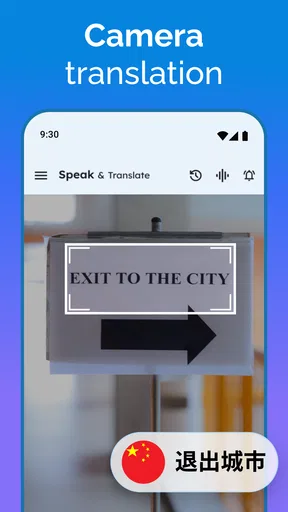
If I expect to translate signs, menus, or other written material, I’d first check whether the app’s text workflow fits the material I have. I can type or paste text when that is more convenient than speaking, but I wouldn’t assume every printed item can be handled automatically. For a short phrase copied from a message, text translation is a straightforward alternative to voice input; for a conversation, spoken translation can be more direct when the surroundings allow it.
Unpacking the App
After downloading Speak and Translate Languages, the first thing I noticed was its slick and user-friendly interface. It's one of those apps that doesn’t make you feel like you need a degree in computer science just to navigate through it. The design is intuitive, and everything is just a tap away.
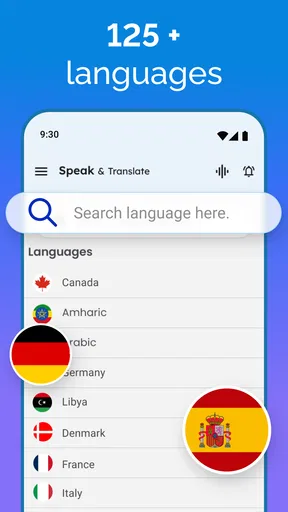
The app supports a whopping number of languages. Seriously, it feels like they have every language under the sun covered. Whether you’re trying to order sushi in Tokyo or haggling at a market in Marrakech, this app has got your back. I tried it out with a few phrases in French and Spanish, and the translations were spot on.
Features That Stand Out
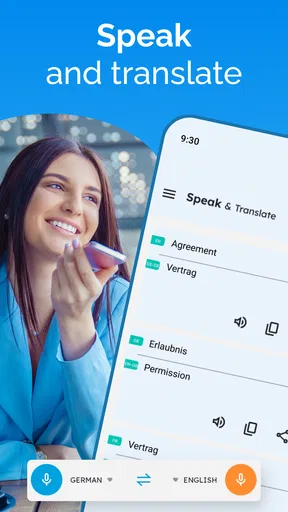
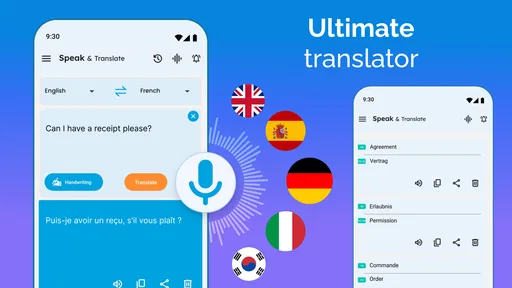
What really caught my attention are the voice recognition and real-time translation features. You can literally speak into your phone, and the app will translate your words almost instantly. It’s like having a personal interpreter by your side, minus the awkwardness. I found this particularly handy when trying to have a conversation with my Spanish-speaking neighbor. The app not only translated my words but also spoke them out loud, which is a game-changer.
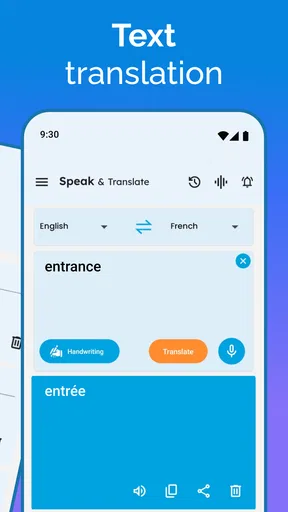
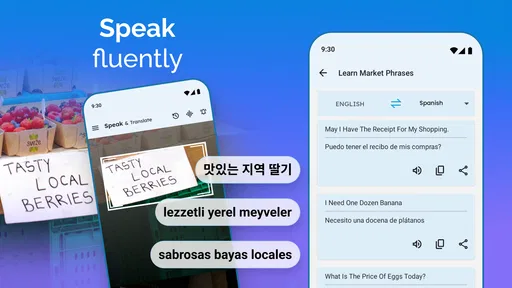
Another nifty feature is the text translation, which supports over 100 languages. You can type in a phrase or even copy-paste text from other sources, and the app will do its magic. It even lets you save frequent translations for quick access later, which is perfect for travelers who need to use certain phrases repeatedly.
Putting It to the Test
To really see how well this app performs, I decided to test it in a few different scenarios. First, I took it to a local Italian restaurant and attempted to order my meal in Italian. The app didn’t disappoint. The waiter was impressed, and I was able to order without relying on the menu translations. Next, I tried it in a more casual setting with friends who speak different languages. We had a blast communicating directly through the app, and it was surprisingly smooth.
However, it's important to remember that no app is perfect. I did notice that in very noisy environments, the voice recognition can struggle a bit. But let’s be real, even humans have a hard time hearing over a cacophony of sounds. So, I wouldn’t hold it against the app.
Choosing it over familiar alternatives
I’d choose this app over a phrasebook when I need to build a sentence that I haven’t prepared in advance, and over a basic text translator when the other person is standing in front of me and speaking is convenient. Its combination of voice and typed input makes it more adaptable than carrying a list of memorized lines. But a phrasebook can be more dependable for a small set of essential expressions, while a regular dictionary is better when I want to understand a word’s shades of meaning rather than get through a quick exchange.
For language learning, I see it as a support tool rather than a tutor. A translation can help me express an idea, but it does not necessarily explain why a sentence is phrased that way or teach me how to respond without the phone. I’d use it alongside lessons or a dictionary if my goal were steady progress. If I only need occasional help communicating, its direct voice and text options are more convenient than opening a full learning course.
Who gets the most from it
The strongest fit is someone who regularly encounters different languages and needs practical help with short conversations: a traveler asking for directions, a visitor clarifying an order, or a person making small talk with a neighbor. It can also help when I need to translate a message by typing or pasting its text instead of trying to read it aloud. The saved translations are especially useful for repeat situations, such as asking for the same kind of assistance during a trip. I’d save a few concise phrases before I need them, then review them to make sure they still fit the context.
I’d skip it as my main solution if I needed guaranteed precision, extensive language instruction, or a way to communicate in a setting where using a phone would be impractical. It is also a poor fit if I can’t give the app a clear spoken input and don’t want to type. In those cases, a human interpreter, a carefully prepared phrase card, or a specialist learning resource may serve me better. The right choice depends on the cost of being misunderstood, not just how quickly a translation appears.
A realistic day out with the app
Imagine I’m travelling and need to ask a café worker whether a dish contains an ingredient I avoid. I’d move away from the loudest part of the counter, keep the question to one point, and use voice input if the room is calm enough. I’d watch the translated wording rather than assume the first result captured every nuance. If the answer includes a detail I need to be certain about, I’d ask a short follow-up or type the key ingredient so we can check it together. This is a sensible use of translation: it opens the conversation, while I stay responsible for confirming the answer.
For a less urgent exchange, such as asking a neighbor about a local event, I’d use the spoken option to make the interaction feel more direct and switch to typing if a name or place is repeatedly misrecognized. That choice is not a workaround so much as a useful change of method. Voice is quick when conditions are good; text gives me more control when precision or a noisy room matters.
Practical limits, cost, and fit
It is a free communication app from Battery Stats Saver, with in-app purchases ranging from under a dollar to just under a hundred dollars per item. I’d try the basic workflow before considering any purchase and check what an offered item actually adds for my needs. The app is rated for Everyone, and its current version is 8.1.4.2, with Android 5.0 as the minimum operating-system requirement. Those details make it easier to judge whether it suits my device and whether I want to explore paid options, but they do not change the main practical question: does its translation style work for the conversations I have?
It has a 4.7 average from around 297,000 ratings, with roughly 11,000 written reviews, and has passed 10 million installs. That level of use suggests many people find a reason to keep it available, though popularity can’t guarantee that every language pair or phrase will work equally well for me. I’d test the languages and kinds of sentences I expect to use before relying on it during a trip. The app was released on November 6, 2018, and I’d still judge it by how it behaves on my phone today rather than by how long it has been around.
Why It’s Worth Your Time
Speak and Translate Languages is a must-have app for anyone who finds themselves in multilingual environments. Whether you’re traveling, working with international colleagues, or simply wanting to learn a new language, this app offers a practical solution. The convenience it provides is unmatched, and it's a great tool for breaking down those pesky language barriers.
In conclusion, this app is not just about translations; it’s about connection. It bridges gaps and fosters understanding in a world that’s more interconnected than ever. So, if you haven’t already, give it a try. You might just find yourself speaking like a local in no time. And hey, who doesn’t love being the person who can whip out a flawless translation at a moment’s notice?
My connectivity verdict
For me, this is most useful when I can get a steady response, pause between turns, and give the phone a clear job: translate one question or answer at a time. The combination of voice, text, and saved phrases offers practical flexibility, but it does not remove the need to think about the setting. I’d prepare a few essentials, keep important exchanges short, and switch from speech to typing when noise or recognition gets in the way.
Speak and Translate Languages is worth trying if you want a handy communication aid for everyday encounters and understand that automatic translations need judgment. I wouldn’t make it my only plan for high-stakes conversations or assume it will replace language learning. Used with sensible expectations, it can make unfamiliar interactions less daunting; the best results come when I treat it as a helpful partner in the conversation, not the final authority on what someone means.
Pros
- Supports multiple languages for global communication.
- Real-time translation for seamless conversations.
- Easy-to-use interface enhances user experience.
- Text and voice input options available.
- Offline mode for translation without internet.
Cons
- Limited accuracy in complex sentences.
- Free version includes ads.
- Requires internet for certain features.
- Voice recognition can be inconsistent.
- Subscription needed for full access.
FAQs for Speak and Translate Languages
What languages does Speak and Translate Languages support?
Speak and Translate Languages offers support for over 100 languages, making it a versatile tool for both travelers and multilingual users. The app provides accurate translations in real-time, ensuring smooth communication regardless of the language barriers you might face. Always check the app store for the most up-to-date list of supported languages.
Is an internet connection required to use Speak and Translate Languages?
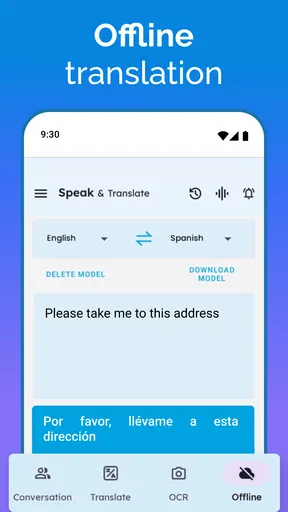
Yes, Speak and Translate Languages typically requires an internet connection for real-time translations, especially for less common languages. However, for frequently used languages, the app may offer offline translation capabilities. Always check within the app to download language packs for offline use, ensuring you're prepared even without internet access.
How accurate are the translations provided by Speak and Translate Languages?
The accuracy of Speak and Translate Languages is generally high, utilizing advanced machine learning algorithms. However, like any translation app, accuracy can vary based on language complexity and context. For critical communications, it's recommended to double-check translations, especially in professional or sensitive situations.
Can Speak and Translate Languages be used for voice translation?
Yes, Speak and Translate Languages supports voice translation, allowing users to speak directly into the app for instant translations. This feature is particularly useful for conversations during travel or in multilingual meetings. Ensure your device's microphone settings allow the app to access audio for optimal performance.
Are there any subscription fees or in-app purchases?
Speak and Translate Languages is typically free to download, but it may offer in-app purchases or subscriptions for premium features. These might include advanced translation options, ad removal, or additional language packs. Check the app store listing for detailed information on pricing and available subscription plans.


